Google Is Changing How Your Capped Ad Budget Bids
Most industrial companies I work with run Google Ads the same way: a fixed monthly budget, a conservative target, and no appetite for surprises. On August 17, 2026, Google changes how that setup behaves, and if your campaigns have been quietly beating their targets, the same budget is about to buy fewer leads.
The fix takes about ten minutes. But it has to happen before the rollout, not after your cost per lead has already drifted up.
The short version
- Starting August 17, budget-limited campaigns with a Target CPA or Target ROAS will bid to the number you set, instead of doing better than it.
- Google will not touch your budgets or targets automatically. If nobody acts, an overachieving campaign just gets more expensive on its own.
- The move: find every campaign marked “Limited by budget,” check what it actually pays per lead today, and set the target to that real number.
What Google is changing
On June 15, Google announced that campaigns which are limited by budget and use target-based bidding will behave differently, with the change rolling out from August 17, 2026 over several weeks (PPC.land). Google’s own documentation says affected campaigns “will more consistently perform toward your bid target” (Google Ads Help).
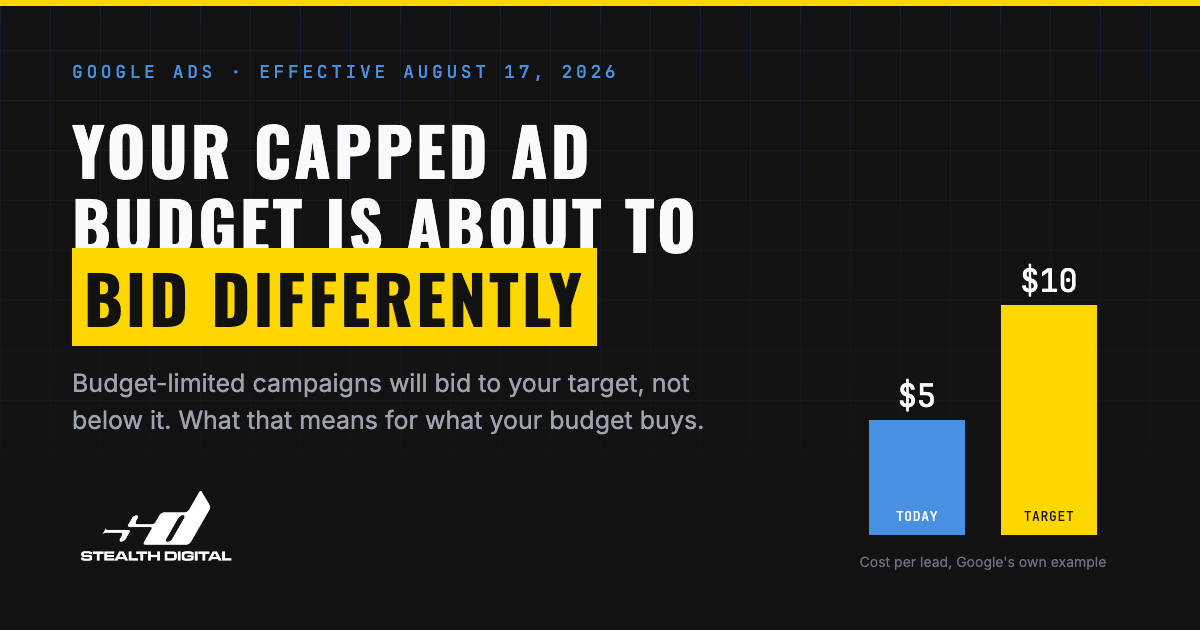
In plain terms: until now, a capped campaign with a $10 target could land leads at $5 because Google spent your budget as efficiently as it could. After August 17, that same campaign aims for the $10 you typed in.
Three details matter:
- It covers Search, Shopping, Performance Max, Demand Gen, and Display campaigns that are limited by budget and carry a Target CPA or Target ROAS, including targets set at the ad group level (Google Ads Help).
- Campaigns that are not budget-limited, and campaigns without a target, do not change (Google Ads Help).
- Google will not adjust your budgets or targets for you. A new Bid Target Adjustment Tool suggests updates, but every change needs a human to approve it (Google Ads Help).
What it does to your cost per lead
Here is Google’s own illustrative example, which is worth reading twice if you pay for leads out of a fixed budget.
| Capped campaign with a $10 target | Before August 17 | After August 17 |
|---|---|---|
| Bidding aims at | The best cost it can get under your cap | The $10 you set |
| Actual cost per lead | $5 | Drifts toward $10 |
| Leads per $1,000 of budget | 200 | About 100 |
| Who changes the target | You | Still you. Google suggests, never applies |
Your spend does not change. Nothing in the account turns red. What changes is what the budget buys.
The timing is frustrating. LocaliQ’s 2026 benchmark study of 13,474 US search campaigns found the average cost per lead actually fell this year for the first time in five years, to $66.69 (WordStream). Advertisers finally caught an efficiency break. If your account earned that efficiency through a loose target on a capped budget, you now have to lock it in by hand.
One more mechanic worth knowing while you are in there: Google can spend up to twice your average daily budget on a busy day, balanced out over the month (Google Ads Help). That has always been true. It just matters more when the bidding is no longer trying to beat your number.
What to do before August 17
Five steps, in order of urgency.
- Today: In Google Ads, filter for campaigns marked “Limited by budget” that also have a Target CPA or Target ROAS. Check ad group level targets too, Google confirmed those are included (PPC.land).
- Today: Pull the last 30 days of actual cost per lead for each one. If you like those numbers, set the target to match the real number before the rollout.
- This week: Look at what Google’s Bid Target Adjustment Tool recommends, but treat it as input. You can apply, adjust, or ignore every suggestion.
- This week: If the budget cap alone should control spend, consider dropping the target entirely and running Maximize Conversions. Untargeted strategies are not affected.
- After the rollout: Give any changed campaign a week or two before judging it. The rollout is gradual and bidding needs time to settle.
Do not panic-switch bid strategies on August 17, and do not assume every account is affected. Uncapped campaigns behave exactly as before, which Google confirmed when it publicly denied this was a broader Smart Bidding overhaul (PPC.land).
If an agency runs your ads, ask them three questions
Most industrial companies hand Google Ads to an agency and check a report once a month. Fair enough. This is a week to ask three direct questions:
- Which of our campaigns are limited by budget and running a target?
- What is our actual cost per lead on those campaigns, versus the target you have set?
- What are you changing before August 17, and why?
If the answers come back fast and specific, you are in good hands. If you get silence or jargon, that tells you something too. The deliberately loose target on a capped budget was a common, legitimate tactic, and more than 80% of advertisers were already on automated bidding as of Google’s last public figure in 2021 (Google Ads). Plenty of accounts are set up exactly this way, and every one of them needs a decision this week.
The takeaway
Google is turning your target into the thing it says on the label. After August 17, the number in the target field is what you should expect to pay, so it needs to be a number you actually mean. Check your capped campaigns, set targets to reality, and watch the first two weeks of the rollout.
This is the same principle I apply to every part of a Digital Revenue System: know what a lead costs you, from every channel, and make sure nothing in the machine is set to a number you would not sign off on. Paid traffic also lands harder when your site already answers the questions buyers are searching for, because a click you paid double for should not bounce off a page with no answers.
If you want a second set of eyes on your account before the rollout, book a free 20-minute call and I will walk through it with you.
Next step
If you want a straight read on what is working and what is costing you work, let's talk.
Book a Free 20-Minute Call